Overload - Realtime character
I'm excited to share this project finally. A project in which I poured all my energy while being super excited to learn new workflows and software packages. My main goal was to learn how to create a highly detailed character that could be used in a real-time environment.
I am very pleased with the result! I hope you like it too.
Here's a super brief recap of the process I followed to archive this result:
— Initial block out of shapes and forms in Maya, using a base mesh for the body and basic shapes for the rest of the elements.
— Sent body base mesh along with a few pieces of geo to Marvelous, geo that would serve me as passive colliders, so the patterns I created for the pants and jacket generated wrinkles and folds influenced by them.
— Sent all the low res geo from Maya and a triangulated Marvelous mesh to ZBrush. There I progressively sculpted all big, medium and small details for the clothes, pouches, boots, gloves, and even some hard surface stuff such as pieces of the armor and backpack using alphas.
— At the start I wanted to create a Tom Holland double (as you can see on the first zbrush renders) but quickly realized I wanted to change his facial features to portray someone less nice and more rude. I hope you can still see some resemblance, even though I altered it quite a bit.
— Once the high poly was done, I organized and decimated all character pieces in different groups, which would help me organize later on my UV sets. I took all the decimated pieces and imported them into Maya to start the process of retopology.
— After having all groups in low-res state, I sent them to Marmoset, along with their high-res version, to start the baking process. I could have done this in Substance Painter as well, but I wanted to test some controls Marmoset gives you to adjust the cage.
— After baking all the maps I needed, such as AO, curvature, normals, thickness, height, and position, I imported them along with the low res character into Substance Painter to start the texturing process.
— Having initial textures, and before finalizing them, I started the look development process in Unreal Engine, testing back and forth how my roughness, metalness, albedo, and normal maps worked.
— After having an initial good pass, I went back to Maya to start making the hair cards. I created different clumps of hair, and when I was happy, I baked them using Arnold renderer and different materials for the different hair textures I required for the cards, such as Alpha, AO, HairIDs, Root maps, etc. Same for the eyebrows and eyelashes.
— Once I had all the maps I needed, I made use of the GS CurveTool plugin to help me create and position the cards on the scalp of my character. When happy, I sent them to Unreal Engine.
— The final stage was mostly look dev in Unreal Engine and Marmoset.
It was a long way to get here; I had to try new workflows I only heard about and watch many YouTube tutorials and online courses.
I've got to mention the design of the character is not mine: most of the design choices were based on an online course by Hafez Yadollahi, from whom I learned most of the “characters for video games” workflow.
If you have any questions, please ask! I'd love to share what I learned. I found so many strangers online who helped me along the way; I would like to do the same.
Cheers!


Substance Painter Uvs sets

After finishing, I found out this character’s polycount is in the range of a AAA game main character, but I feel it could be archived in less. I would bake the laces and other boots elements into the same mesh, and some props could also be lower res.
Here's a downresed version for you to check on Marmoset viewer!
Unreal Engine viewport
Turntable, rendered in Marmoset Tool bag

Xgen hair used to create all the maps needed for the hair cards.
Hair cards arrangement using GS Curve tool

Initial Marvelous Designer´s patterns and shapes.

Zbrush Initial High poly pass
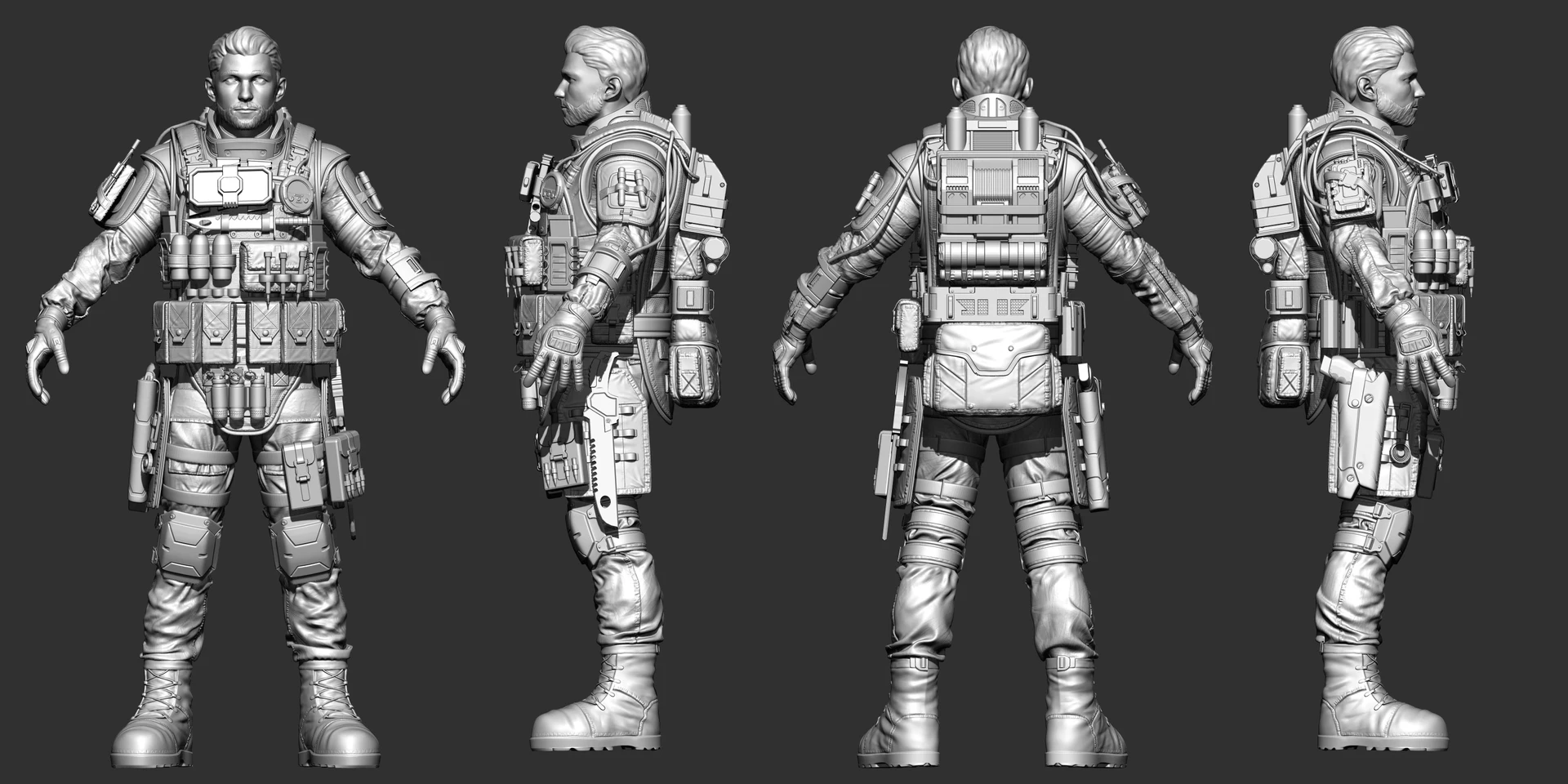
Zbrush Initial High poly pass
